Smart Call Blocker
Delete account
Deletion is done in the app, under Settings. This page shows the path, what is erased and what you cancel separately.
- Open Smart Call Blocker and tap Settings.
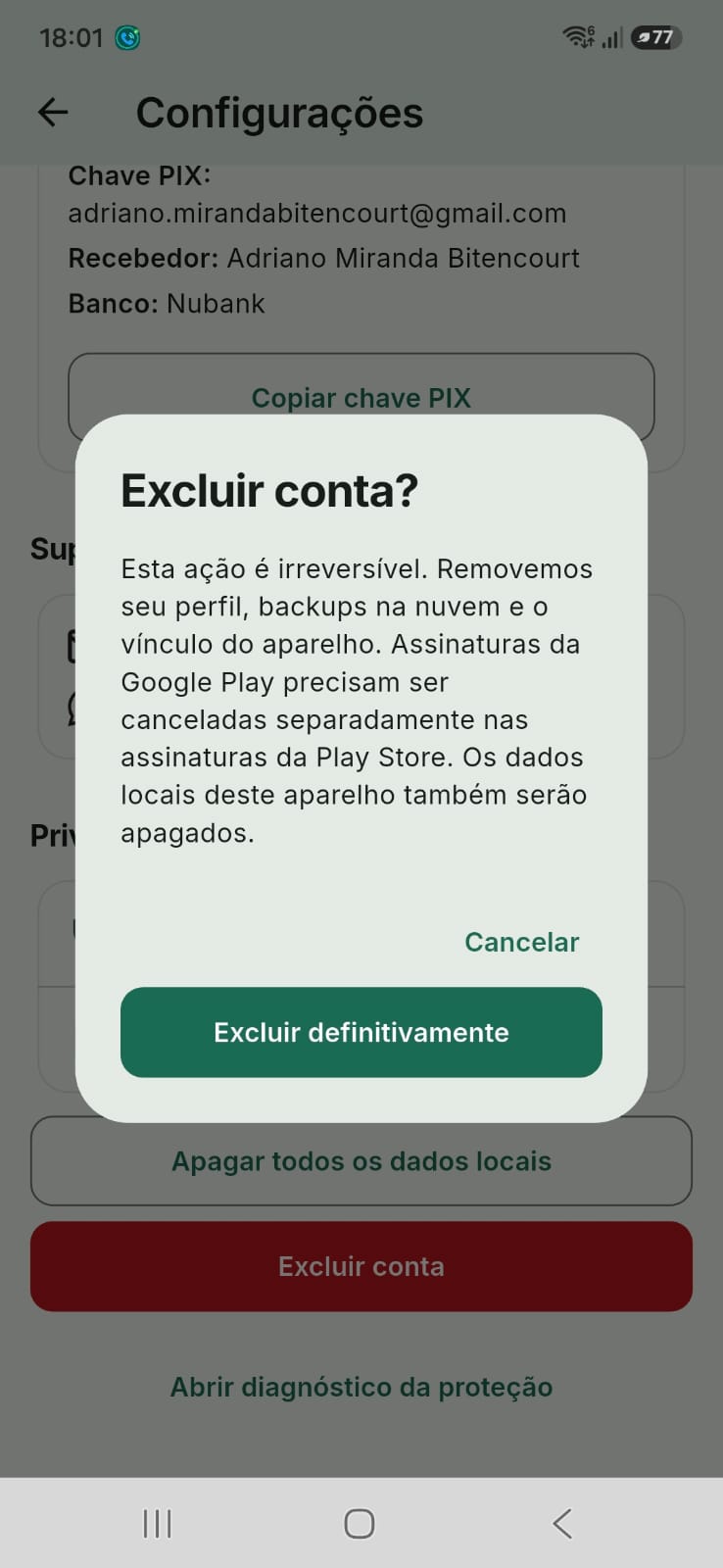
- In the Privacy section, tap the red Delete account button.
- If you are not signed in, the app asks you to sign in with Google in Profile. Without sign-in there is no remote account to delete; to clear only this device, use Erase all local data.
- When signed in, confirm in the dialog Delete permanently. The app asks for Google again; if you cancel, the account stays.
- When it finishes, the message is Account deleted.
Your Google Play subscription is not cancelled here.
Cancel it in Play Store → Payments & subscriptions. Deletion removes your profile, cloud backups, stored objects and the device link. Local data on this device is also erased.
Privacy Policy · Terms, Deletion section · support@sonsai.com.br